
Description
4 Port PoE Switch in Dubai: GC-B42A for Small CCTV and Network Projects
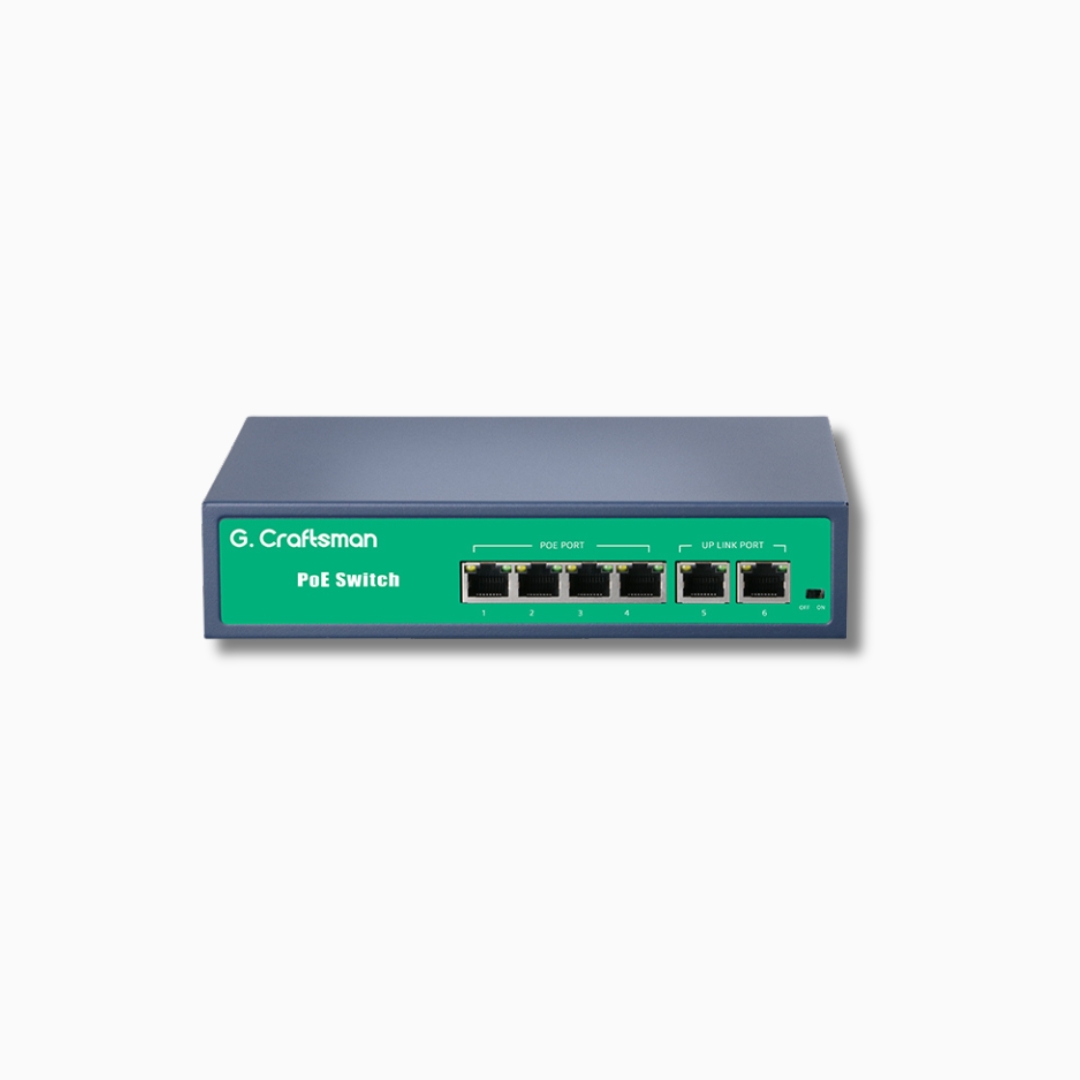
Looking for a 4 port PoE switch in Dubai? The GC-B42A delivers power and data to IP cameras, wireless access points, VoIP phones and other PoE devices through a single network cable. That means fewer power adapters, tidier cabling and faster installation. It is a practical choice for villas, small offices, shops and clinics, and we can install it as part of a complete CCTV or network system.
What is a PoE switch?
Power over Ethernet (PoE) lets a network cable carry electrical power as well as data. A PoE switch supplies that power to connected devices, so a camera on a ceiling or outside wall needs only one cable back to the switch, with no nearby power socket.
GC-B42A key features
(Confirm every item below against the manufacturer datasheet and delete anything that does not apply.)
- 4 PoE ports for IP cameras and other PoE devices
- Port speed: [10/100 Mbps or Gigabit]
- PoE standard: [IEEE 802.3af / 802.3at]
- Total PoE power budget: [__ W]
- Uplink ports: [number and type]
- Switching capacity: [__ Gbps]
- Extend or long-distance mode: [yes/no, distance]
- Mounting: [desktop / wall]
- Warranty: [__ years]
Why choose a 4 port PoE switch?
- One cable for power and data: simpler installation and a cleaner finish.
- Ideal for small CCTV systems: suits a 4-camera home or shop setup.
- Lower cost: fewer adapters and less electrical work.
- Compact size: fits in small cabinets and tight spaces.
- Easy to expand: add a larger switch later as your system grows.
What you can connect
- IP CCTV cameras (fixed, dome and PTZ, within the power budget)
- Network video recorders (NVR)
- Wi-Fi access points
- VoIP phones
- PoE door access controllers and readers
- Intercoms and other PoE devices
How to choose the right PoE switch
- Power budget: add up the watts of every device. The total must stay under the switch’s budget.
- Port speed: gigabit suits higher-resolution cameras and busy networks.
- PoE standard: make sure your devices support it.
- Cable length: Ethernet runs are limited to about 100 metres.
- Cable quality: use proper Cat5e or Cat6 cable, not cheap copper-clad cable.
- Environment: keep the switch in a ventilated, dust-free place or enclosure.
4 port or 8 port PoE switch?
Choose 4 ports if you have up to four devices and no plans to grow. Choose an 8 port switch if you expect more cameras or access points, since it avoids buying a second switch later. See our 8 port PoE switch (GC-Q821B) page for details. (Link to that page.)
Supply and installation in Dubai
- Product supply and quotations
- Cabling and cable termination
- Camera, access point and switch installation
- Configuration and testing
- Maintenance and after-sales support
Get a quote
Need a 4 port PoE switch in Dubai? Contact us for pricing, stock availability and a free site visit for your CCTV or network project. (Link “Contact us” to your contact page.)
FAQs
How many cameras can a 4 port PoE switch support?
Up to one camera per PoE port, as long as the total power draw stays within the switch’s power budget.
Can the GC-B42A work with any IP camera?
Most standard PoE cameras work, but check that the camera’s PoE standard and power use match the switch.
Do I need a separate power adapter for each camera?
No. PoE sends power through the network cable.
What cable should I use?
Cat5e or Cat6 Ethernet cable, up to about 100 metres per run.